
Catalog size is the first number most buyers compare. It is also the least useful one. A tool holding six million shows behind three filters returns a slower, worse list than one holding three million behind seventeen.
The best podcast database turns a client brief into a pitch ready list of shows you can reach. Three things decide that: filter depth, contact quality and true cost. Everything else on a feature grid is noise.
We compared six platforms on the same twelve queries in August 2026, and you can see exactly how we tested. Once you have picked one, our guide to how to build a podcast PR list covers the build step.
What is the best podcast database in 2026? MillionPodcasts leads for niche filtering and verified contacts: 3M+ shows, 17 stacked filters, verified emails on 1.2M shows, from a free plan. Podchaser Pro leads on catalog. Rephonic leads on listener demographics. Podseeker leads on pitching.
1. MillionPodcasts: best for niche filtering and verified contacts
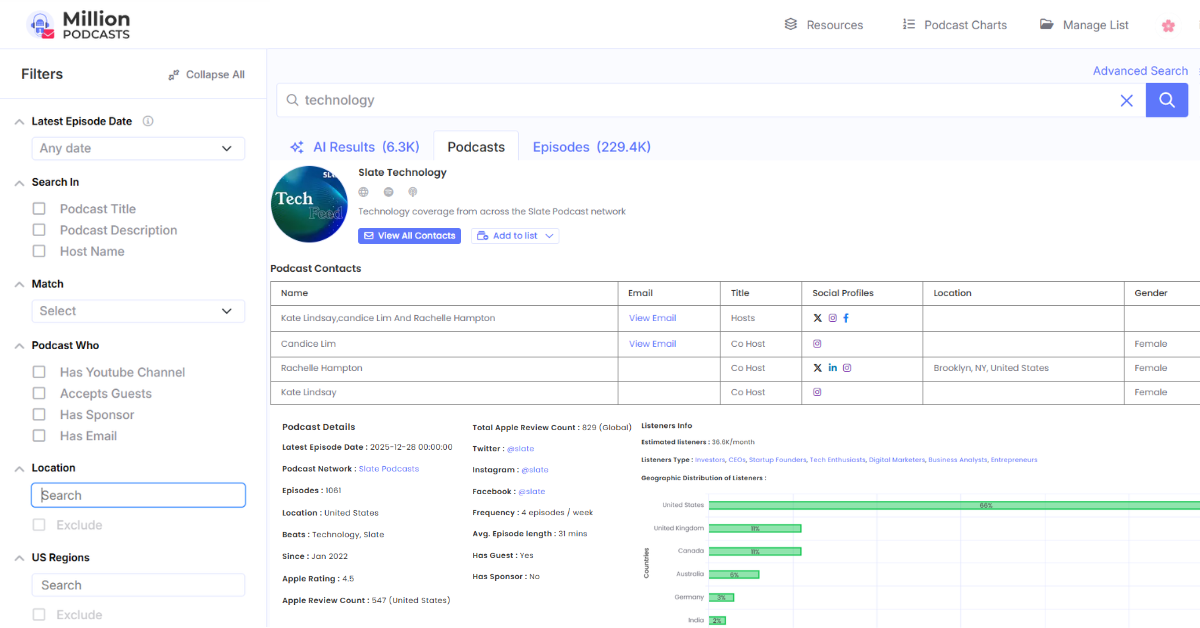
MillionPodcasts indexes 3M+ shows across 11.4K categories and 180 languages. You stack 17 filters in one query, then unlock verified host, producer and booker emails. Lists export to CSV or Excel with the columns you choose. Sourcing and qualifying are the job here, so sending stays in your own tool.
Best for: PR teams, agencies and freelance publicists whose bottleneck is research, not sending. If you rebuild a media list for every client brief, this is the shortest path from brief to exported CSV.
Standout: 17 filters that stack inside a single query. You can combine beat, city level location and language across 180 options. Layer on listener income, age generation, gender skew, audience size, episode length and network. The accepts guests filter alone narrows to 379.7K shows that already take bookings.
Pricing: Free at $0 with no card gives 100 searches a month, 250 results a query and 3 lists. Starter $12 adds 1,500 contact unlocks a year, all 17 filters, and CSV and Excel export. Pro $30 brings 12,000 unlocks and AI Search, Business $60 brings 60,000 unlocks and concierge, and Business Plus $150 is unlimited. Prices are per month billed yearly, and annual billing saves up to 40%.
Watch out for: There is no sending, no follow up sequencing and no reply tracking at any tier. If you want discovery and pitching in one subscription, Podseeker covers that. Most teams pair the two rather than choose between them.
The free plan caps unfiltered results at 250, which is enough to confirm your beat is covered. Check that before you pay, not after. Coverage gaps show up in minutes.
2. Podchaser Pro: best for catalog scale and sponsor data
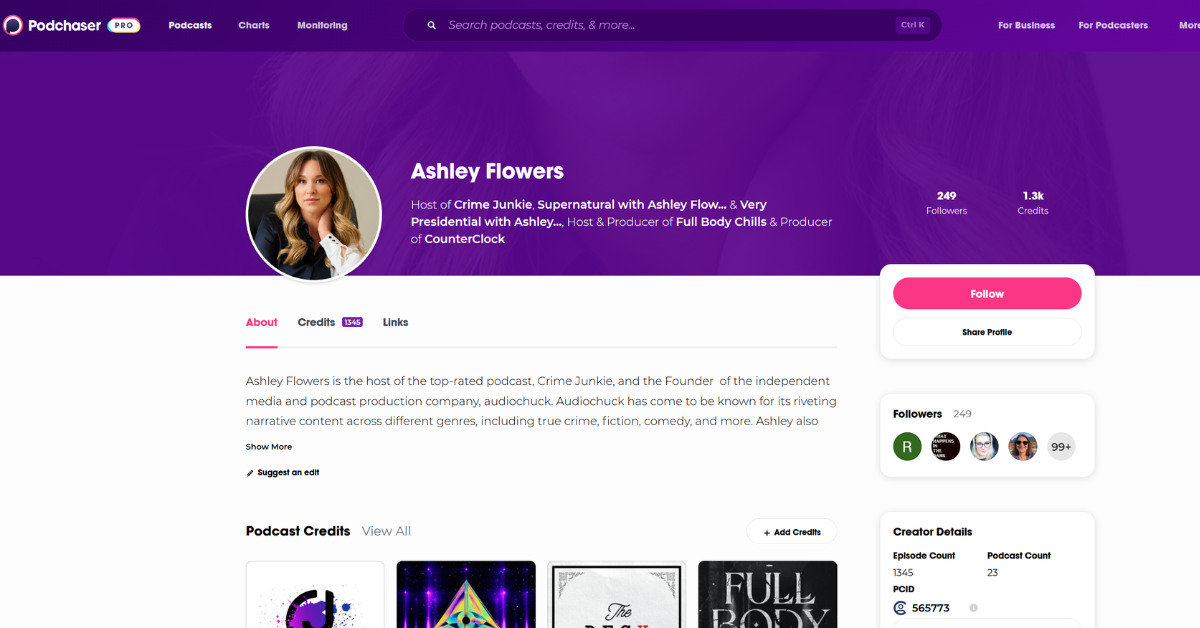
Nothing else in this comparison holds as much data. Podchaser reports 6M+ shows, 2.19M+ role based verified contacts and roughly 150,000 English podcasts fully transcribed. Two layers are unique to it: a Power Score from 0 to 100, and sponsor spend history. Access runs through a demo and an annual contract.
Best for: Media buying teams and in house comms functions where sponsor conflicts or influence tiering sit on the brief. It also suits organisations that already buy enterprise software.
Standout: Sponsor spend history. No other tool here shows which brands back which shows, and over what period. For competitive positioning and conflict checks, nothing in this comparison replaces it.
Pricing: Custom, quote only. Podchaser states that most engagements start around $5,000 a year for independent consultants. Rephonic's published analysis puts solo access closer to $2,500 a year, rising to about $5,000 for three users. Treat that second figure carefully, since Rephonic competes with Podchaser directly.
Watch out for: The sales cycle costs you weeks before you see a record. Category taxonomy also sits at genre level, so qualifying below that line stays manual.
3. Rephonic: best for listener demographics
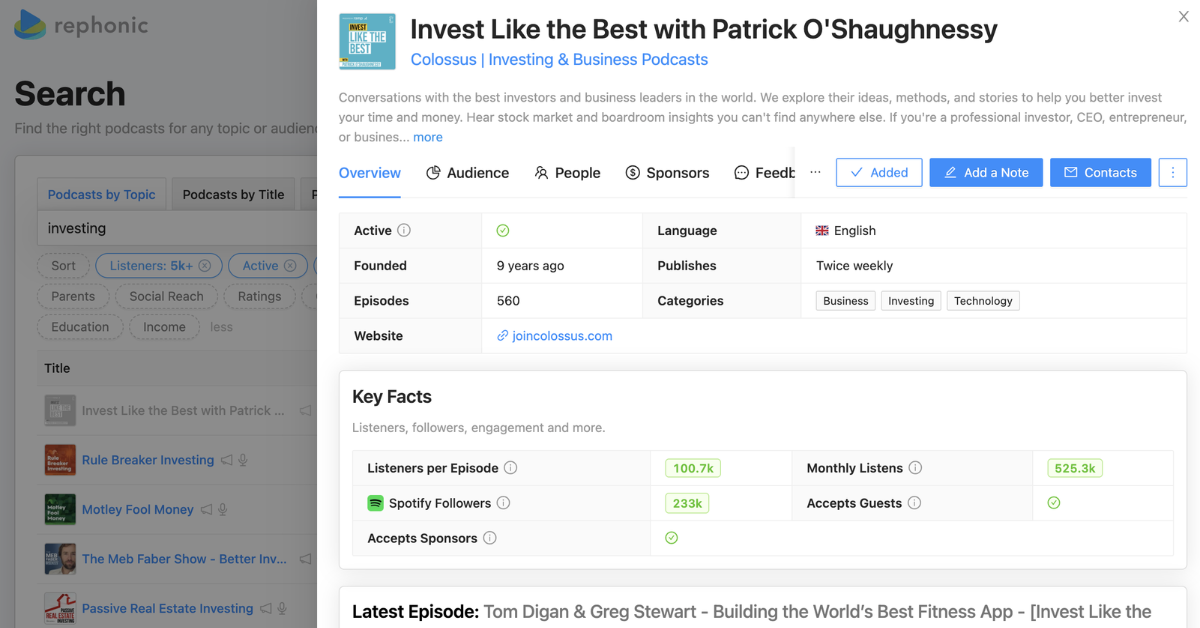
Audience data is the whole point here. Rephonic covers more than three million podcasts, with per episode listener estimates plus age, income, gender and location splits. A connected inbox lets you pitch without leaving the platform. Entry cost is the highest of the self serve tools reviewed here.
Best for: Media buyers and PR teams who must document audience composition for a client. If you regularly prove that a show reaches a specific income bracket, this covers it.
Standout: Per episode listener estimates rather than a show average, on every plan. Most media kits avoid publishing that figure, which makes it hard to source elsewhere.
Pricing: Light runs $99 a month for 1 user and 100 searches. Standard is $149 for 5 users, 500 searches and 20 concierge credits, and Business is $299 for 10 users with unlimited searches. Yearly billing gives two months free. A 7 day trial needs a card, and exports and concierge are excluded during it.
Watch out for: The 100 search cap on Light runs out fast in a heavy research week. At $99 for a single seat, the cost is hard to justify unless audience data drives your decisions.
4. Podseeker: best for pitching from your own inbox
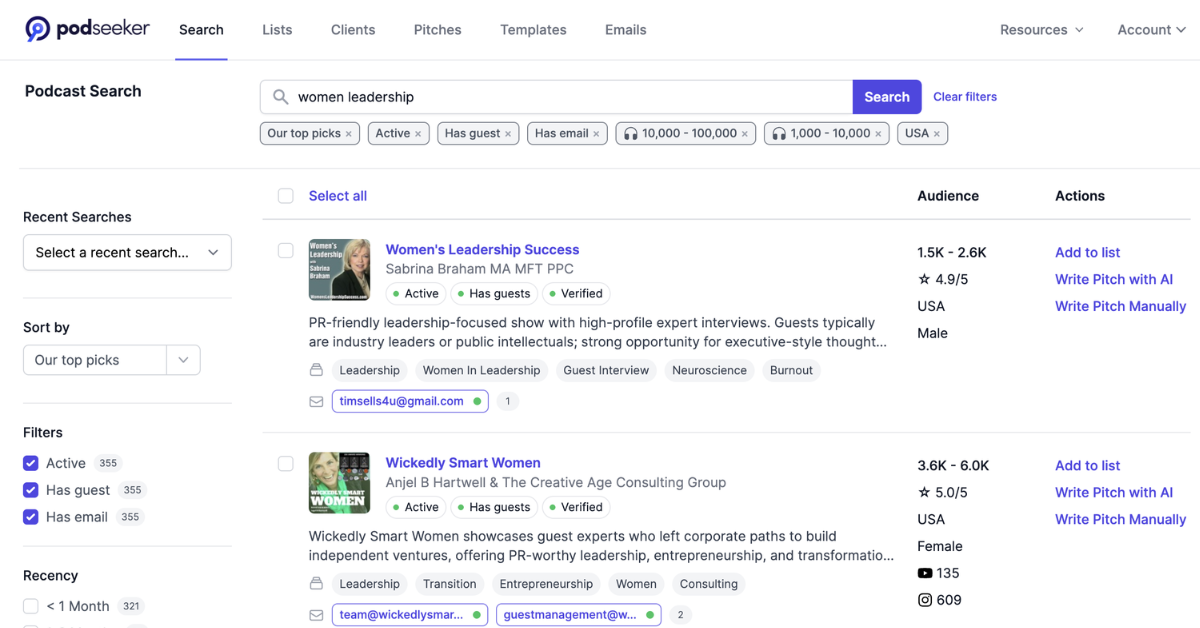
Podseeker is built around the send, not the search. You search 200+ outreach topics, score each show against a client with Client Fit, then send from Gmail or Outlook. A separate Pitch Score rates your draft before it goes out. Discovery leans on broad topics rather than stacked filters.
Best for: Publicists and agencies pitching more than 20 shows a week. If sending and tracking break before research does, this fits your bottleneck directly.
Standout: Follow ups pause automatically the moment someone replies. Podseeker reports an 11.8% average reply rate and a 2.5% booking rate across 8,757 pitches. It holds a 4.7 out of 5 rating on G2.
Pricing: Launch runs $49 a month for 1 user and 50 pitches, with no CSV export. Grow is $99 for 3 users, 400 pitches and 5,000 exports, and Scale is $199 for 10 users and 2,000 pitches. A separate API plan runs $99 for 2,000 credits. The 3 day trial requires a card.
Watch out for: The 50 pitch cap on Launch disappears inside one active campaign week. There are no stacked niche filters and no listener demographics, so qualification happens elsewhere.
5. Listen Notes: best for free episode level research
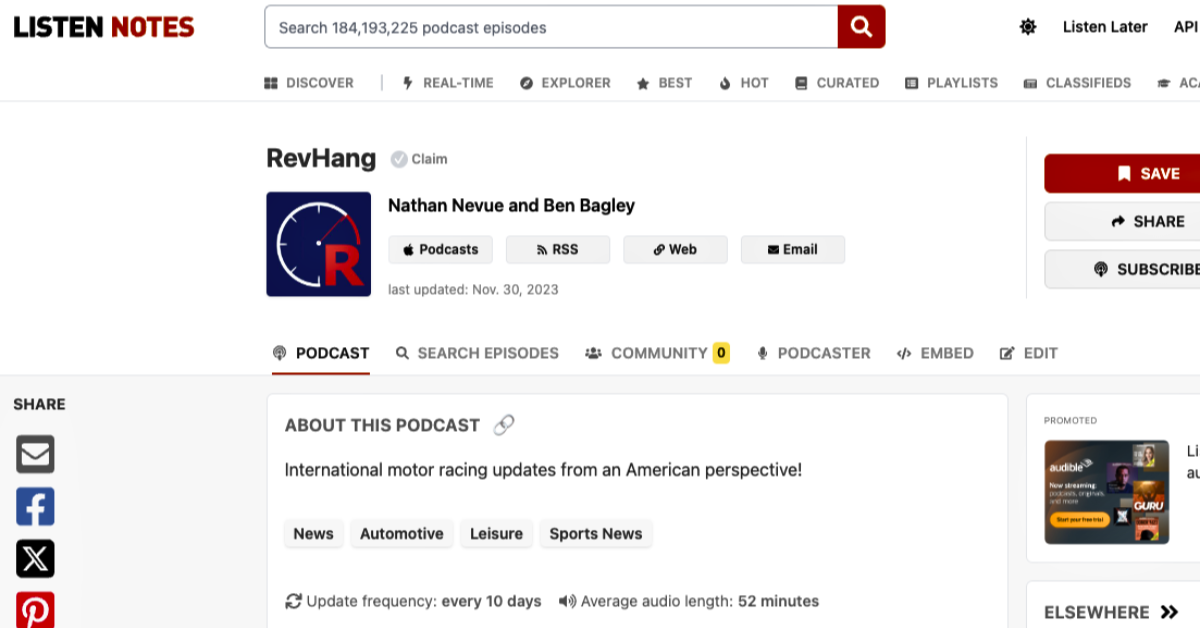
Treat this as a search engine, not an outreach database. It indexes 3,797,071 podcasts and 191,867,812 episodes, and episode search returns what was discussed and when. Filters for language, length, category and publish date work without an account. Contact data comes from RSS feeds, which usually means a generic inbox.
Best for: The research phase that runs before outreach. Content strategists and journalists use it to map how a topic is covered before anyone builds a list.
Standout: Free episode level search at that scale, with no signup. It surfaces general interest shows that covered your niche once, which show level search misses.
Pricing: Free for web search with no account. API access and one time dataset exports are priced separately on the Listen Notes site.
Watch out for: There are no verified host contacts, no accepts guests filter and no filter stacking. It feeds the step before a contact database, rather than replacing one.
6. Podscan: best for transcript monitoring and alerts
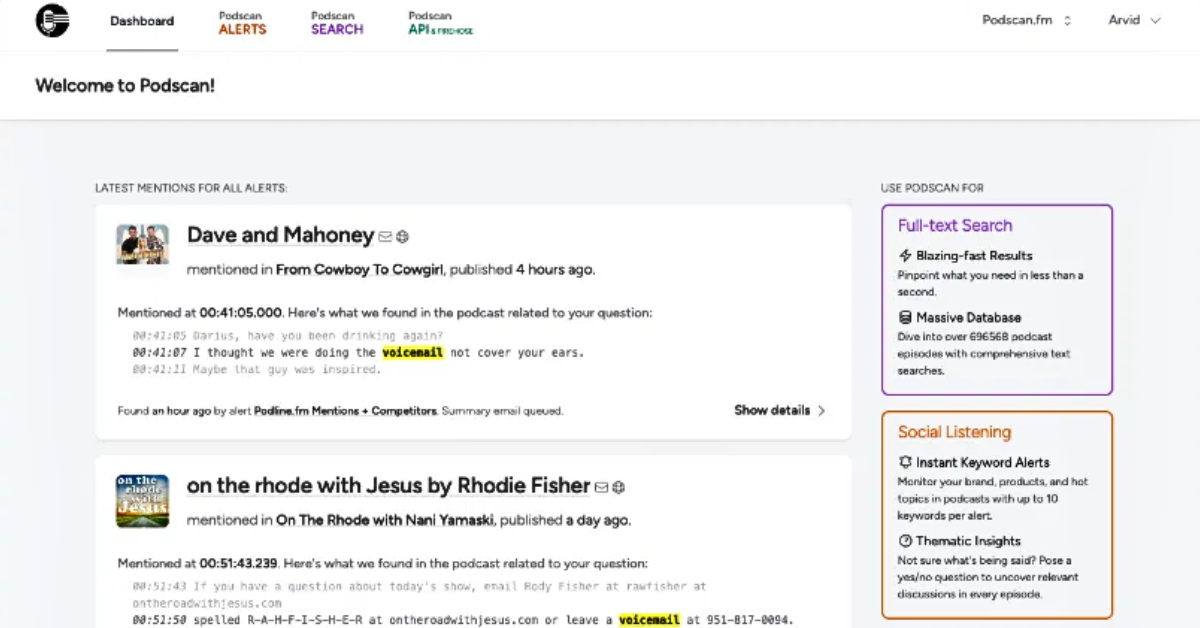
Podscan listens rather than lists. It transcribes new episodes and alerts you shortly after they publish, which catches brand and client mentions inside audio. Pricing is public, which is rare in this category. Contact depth and audience filters sit well behind the databases above.
Best for: Comms teams running mention monitoring, and anyone who needs to know the day a client was discussed on air. It also helps you time a follow up pitch while an episode is still fresh.
Standout: Full episode transcription paired with near real time alerting. Other tools tell you who has influence, while Podscan tells you what was actually said.
Pricing: Public plans start at $100 a month. A 10 day trial runs without a card, which is the most generous trial in this comparison.
Watch out for: It is built for listening, not list building. You still need a contact database underneath it to turn a mention into a pitch.
7. All 6 podcast databases compared side by side
Here is the whole field on the same four criteria. Podchaser Pro publishes no price, so its figure comes from published estimates and is marked as such.
| Tool | Best for | Key strength | Starting price |
|---|---|---|---|
| MillionPodcasts | Niche filtering and verified contacts | 17 filters stack in one query across 3M+ shows, with host, producer and booker emails on 1.2M | Free, then $12 a month billed yearly |
| Podchaser Pro | Catalog scale and sponsor data | 6M+ shows, Power Score, sponsor spend history, 2.19M+ role based contacts | Quote only, estimated $2,500 to $5,000 a year |
| Rephonic | Listener demographics | Per episode listener estimates with age, income, gender and location splits | $99 a month, 7 day trial |
| Podseeker | Pitching from your own inbox | Gmail and Outlook sending with follow ups that pause on reply | $49 a month, 3 day trial |
| Listen Notes | Free episode level research | 191.8M episodes searchable with no account and no cost | Free on the web |
| Podscan | Transcript monitoring and alerts | Full episode transcription with alerts soon after an episode drops | $100 a month, 10 day trial |
Read the starting price with its limits attached. Podseeker's $49 tier caps you at 50 pitches a month, and Rephonic's $99 tier caps you at 100 searches. A low headline price with a tight cap often costs more per campaign.
8. What makes the best podcast database for PR?
Four things decide it, and everything else on a feature grid is noise. Muck Rack's State of PR 2026 survey found that 57% of PR professionals now pitch podcasts. That puts more people than ever in front of the same hosts. Standing out starts with picking shows nobody else has found.
Filter depth decides how long research takes
A filter that stops at Business or Technology returns thousands of shows. A filter that stacks beat, city, accepts guests and recency hands you dozens. That gap separates a three hour session from a fifteen minute one. Episode search matters too, since 62.1M indexed episodes reveal shows that cover your niche quietly.
Here is the test. Run your narrowest real client brief with every filter applied, on a free tier. If the count stays above 500, that tool is not granular enough for targeted outreach.
Contact quality decides your reply rate
A podcast contact database is only as good as the emails inside it. Addresses scraped from RSS feeds are usually generic inboxes nobody reads. A named host, producer or booker reaches someone who can say yes, which matters when 71% of PR pros report low replies. Our guide to how to find podcast contact information covers the manual route.
Freshness decides how many pitches bounce
Podcast data rots fast. Hosts leave, shows go quiet and emails break. Look for a latest episode date filter and a stated refresh cadence. MillionPodcasts added 340.5K new podcasts and updated 19.5K contacts in the last 3 months, a cadence worth asking any vendor to match.
True cost is not the monthly price
Headline prices hide the number that matters. Starter gives 1,500 unlocks for $144 a year, which works out under 10 cents a contact. Pro drops that to roughly 3 cents and Business to about 1 cent. Run the same math on any tool before you compare monthly prices.
Catalog size is the number to ignore
Podchaser reports 6M+ shows and we report 3M+, but that gap matters less than it looks. Most of the difference sits in feeds that were deleted, never published, or long dormant. Compare how many shows are active, filterable and contactable instead. Ask every vendor how many records carry a named contact.
Where to start if you have no budget
A free path exists. Start on the MillionPodcasts free plan to map your niche, then check recency in Listen Notes. Podcast Index gives developers an open RSS index, and the MillionPodcasts podcast directory lists shows by category for free. None of these include verified emails, so free works for mapping rather than campaigning.
Tools we left out, and why
PodMatch is a matchmaking marketplace, not a searchable database, so it answers a different question. Muck Rack and Cision hold podcast contacts inside a wider journalist database. If you also pitch reporters, a podcast media database only does half your job. Our roundup of the best media database platforms for PR covers those.
Pair a discovery database with a separate sending tool. One handles search, filtering and export. The other handles pitching, follow up and replies. That split beats forcing one tool to cover both jobs, and usually costs less.
9. Best Podchaser alternatives by job
Teams leave Podchaser Pro for three reasons, and each points to a different replacement. Work out which one is yours before you book any demos.
If you left over price and contract length
An annual commitment of $2,500 to $5,000 is a real barrier for a freelancer. MillionPodcasts covers the same sourcing job at $12 a month billed yearly. You lose sponsor spend history and the Power Score. You gain 17 stacked filters, no contract and a free tier to test on.
Rephonic vs Podchaser Pro for listener data
These two overlap most on audience intelligence. Podchaser Pro reports more demographic datapoints per show and adds brand safety and sponsor layers. Rephonic gives per episode estimates and a connected inbox from $99 a month, with no procurement. Choose Podchaser Pro if enterprise reporting is the brief, and Rephonic if you want to buy with a card.
If you left because it does not send pitches
Podchaser Pro researches and qualifies, but it does not run outreach. Podseeker closes that loop from $49 a month, sending from your own inbox. Rephonic also includes a connected inbox on every paid plan. Neither matches Podchaser Pro on data depth.
Ask any replacement for a named contact rate in your beat, not across their whole index. Category averages hide the gaps that matter. Half coverage is fine if your niche sits in the covered half.
Build the list this comparison is about
Search 3M+ podcasts, stack 17 filters by beat, location, audience and guest acceptance, then unlock verified host, producer and booker emails. Export to CSV or Excel and drop it straight into your outreach tool. The free plan needs no card.
Search podcasts free →10. How we tested these podcast databases
This comparison is published by MillionPodcasts. We ran the same twelve queries on five platforms, each on its entry paid tier, ours included. Podchaser Pro is sold by demo only, so its section draws on published documentation. Every price was checked against the vendor's public pages in August 2026.
The twelve queries ran across three difficulty levels:
- Broad queries: marketing podcasts, true crime, business. These baseline general search quality and separate almost nothing.
- Mid niche queries: B2B SaaS shows for finance leaders, mental health podcasts for therapists, personal finance for parents.
- Narrow queries: Spanish language personal finance shows in Latin America, active in the last 60 days, that accept guests.
- Scored on: first page relevance, share of results carrying a named contact, time to export, and filter accuracy.
Narrow queries produced every meaningful gap. A tool returning 200 results with contacts on 20 scored below one returning 60 with contacts on 55. For outreach, the ratio matters more than the raw count.
Where competitors beat us
Podchaser Pro holds a larger catalog and reports more verified contacts than we do. Rephonic gives deeper per episode audience data than our listener bands. Podseeker closes the loop we do not touch, because we never send pitches. Podscan catches spoken mentions no contact database can see.
What we could not verify
We did not audit contact accuracy across every platform, so deliverability claims are each vendor's own. Anything we could not confirm on a public page is labelled as an estimate.
Ask each vendor when their contact data was last refreshed for your specific beat. Most will not answer with a date. The ones that do are usually the ones maintaining it.
11. Which podcast database should you choose?
Match the tool to the job that slows you down, not to the longest feature list. Most teams need one database and one sending tool.
- Freelance publicist: start on the free plan, then move to Starter at $12 once you pass 10 pitches a month.
- Small agency: pair MillionPodcasts Pro for research with Podseeker Grow for sending, under $130 a month combined.
- Media buying team: Rephonic if you present audience data to clients, Podchaser Pro if sponsor conflicts are on the brief.
- In house comms: add Podscan so you hear client mentions the day they air.
- Pitching reporters too: use a wider media database alongside this one, not instead of it.
- No budget yet: map the niche in Listen Notes, then qualify on the MillionPodcasts free plan.
Still unsure? Run the filter depth test on two free tiers, and pay for whichever survives.
12. Podcast database FAQs
What is the best podcast database for PR outreach?
MillionPodcasts is the best podcast database for PR outreach in 2026. It stacks 17 filters across 3M+ shows and unlocks verified host, producer and booker emails on 1.2M. The free plan needs no card, and paid plans start at $12 a month billed yearly. Podchaser Pro holds a bigger catalog at 6M+ shows, but it sells only as an annual contract.
Is there a free podcast database?
Yes, though every free plan stops short of verified contacts. MillionPodcasts has a permanent free plan with 100 searches a month and no card required. Listen Notes searches 3,797,071 podcasts and 191,867,812 episodes free with no account. For how a free listing site differs from a paid tool, see our guide to podcast directory vs podcast database.
What are the best podcast discovery platforms for niche interests?
For niche interests, filter depth matters more than catalog size. MillionPodcasts is strongest here because 17 filters stack in one query. Those cover beat, city level location, language across 180 options, listener income, age generation, gender skew and accepts guests. Listen Notes is the best free option, since episode search finds shows that cover your niche only occasionally.
What is the best Podchaser alternative?
It depends on why you are leaving. For niche filtering and verified contacts at a self serve price, MillionPodcasts starts at $12 a month billed yearly. For listener demographics without a contract, Rephonic starts at $99 a month, and Podseeker adds pitching from $49. For transcript monitoring and alerts, Podscan starts at $100 a month.
How much does Podchaser Pro cost?
Podchaser Pro is quote only, so no self serve price is published. Podchaser states that most engagements start around $5,000 a year for independent consultants. Rephonic's published analysis puts solo access closer to $2,500 a year, rising to about $5,000 for three users. Budget $2,500 to $5,000 or more, and expect a demo before access.
Is MillionPodcasts legit?
Yes, MillionPodcasts is a podcast database used by PR teams, agencies and freelance publicists. Contacts are manually researched, SMTP checked, and GDPR and CAN-SPAM compliant, with 19.5K updated in the last 3 months. Payments run through Stripe and the free plan requires no card. This guide is published by MillionPodcasts, and our testing method is open to check.
References
MillionPodcasts. (August 2026). The Podcast Database for Outreach. https://www.millionpodcasts.com/ MillionPodcasts. (August 2026). Plans and Pricing. https://www.millionpodcasts.com/pricing PRSA (PRSay), reporting Muck Rack State of PR 2026. (July 2026). Long Hours, Fewer Reporter Responses, AI Optimization: 2026 State of PR. https://prsay.prsa.org/2026/07/15/long-hours-fewer-reporter-responses-ai-optimization-2026-state-of-pr/ Listen Notes. (August 2026). Podcast Stats: How many podcasts are there? https://www.listennotes.com/podcast-stats/ Podchaser. (May 2026). Podcast Monitoring Software: The 2026 Buyer's Guide for In House Comms Teams. https://www.podchaser.com/articles/guides/podcast-monitoring-software Podchaser. (2025). Why Does Podchaser Pro Cost More Than Other Podcast Tools? https://www.podchaser.com/articles/podcast-insights/why-does-podchaser-pro-cost-more-than-other-podcast-tools Rephonic. (August 2026). Rephonic Pricing. https://rephonic.com/pricing Rephonic. (May 2026). Podchaser Pro Pricing: How Much Does It Cost? https://rephonic.com/blog/podchaser-pro-pricing/ Podseeker. (August 2026). Podseeker Pricing. https://www.podseeker.co/pricing Podscan. (August 2026). Podscan vs Podchaser Pro. https://podscan.fm/compare/podchaser