
558 creators responded to Sounds Profitable's 2025 Creators Survey. DIY podcasters spend 4 to 8 hours per episode from planning to publish. Only one in three keeps a show going past the first year. Podcast to email automation, guest sourcing, and clip scheduling each eat into those hours.
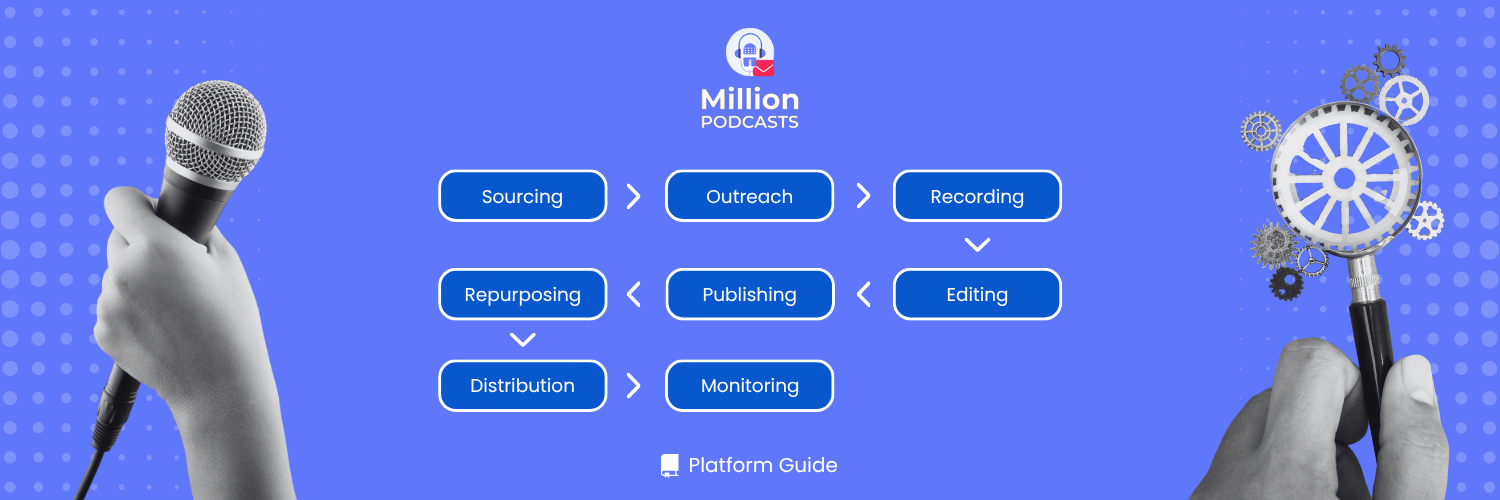
The best podcast automation tools in 2026 cover five stages: sourcing, scheduling, editing, email, and distribution. Automate sourcing first. It is the stage that decides whether every other stage runs. Most creators still do it by hand, across browser tabs, dead inboxes, and half-finished spreadsheets.
This guide maps every stage, names the right tool at each step with current pricing, and shows how each handoff connects. Building the right podcast outreach list at the sourcing stage is what makes everything downstream reliable.
What is podcast to email automation, and which tools cover every stage? Podcast to email automation connects your RSS feed to an email platform through Zapier. Each new episode triggers an automatic send to your subscriber list. The complete stack covers 5 stages: sourcing, scheduling, editing, repurposing, and email plus distribution.
1. Why podcast automation tools matter in 2026
Audio and video shows now run side by side on every major platform. A creator producing both formats runs more production steps per episode than one publishing audio alone. More steps mean more hours, and more hours mean more chances for the show to go quiet.
The difference between a tool and a system matters here. A tool solves one task. A system passes each tool's output into the next: recording to transcript, transcript to show notes, show notes to a scheduled post. That chain is what this guide builds.
One principle applies to all the podcast automation tips that follow. Automate the stage that most often kills episodes first. For most interview shows, that bottleneck is sourcing and scheduling, not post-production.
Before buying any tool, list every manual step you repeat at the start of each episode. Flag the ones that restart from scratch, wait on someone else, or copy data between tools. That list is your automation backlog. Sourcing almost always sits at the top.
2. How to map your podcast workflow first
Before buying any software, list every manual step in a typical episode cycle. A weekly interview show runs through five stages: pre-production, recording, post-production, publishing, and promotion. Most automation decisions go wrong because creators skip this mapping step and buy tools for the wrong stage first.
Flag three types of steps that automation handles best. Steps that restart identically each episode cycle qualify. So do steps that wait on someone else, and steps that copy data from one place to another. Manual sourcing hits all three: you restart from scratch each cycle, wait on contacts, and copy names and emails by hand.
The table below maps the best automation tool at each stage with current starting prices. Verify all third-party pricing at each tool's live pricing page before subscribing.
| Tool | Stage | Best for | Starting price |
|---|---|---|---|
| MillionPodcasts | Sourcing | Finding guest-ready shows and verified contacts | Free / $12 per month billed yearly |
| Calendly | Scheduling | Guest booking with automatic time zone handling | Free / approx. $10 per seat per month (verify) |
| Descript | Editing | Text-based edit and filler-word removal | Free (1 hr/mo) / approx. $12 per month (verify) |
| Adobe Podcast Enhance | Audio cleanup | One-click noise and reverb removal | Free (web tool) |
| Otter.ai | Transcription | Live and recorded transcription | Free (300 min/mo) / approx. $17 per month (verify) |
| Castmagic | Repurposing | Show notes and newsletter copy from transcript | Approx. $39 per month (verify) |
| Opus Clip | Video clips | AI short-form clip selection and captioning | Approx. $19 per month (verify) |
| Headliner | Audiograms | Animated audio clip for social posting | Free / approx. $12.99 per month (verify) |
| Zapier | Automation platform | Connecting tools across your full stack | Free (100 tasks/mo) / approx. $19.99 per month (verify) |
| ConvertKit (Kit) | Subscriber list and episode email sends | Free to 1K subscribers / approx. $25 per month (verify) | |
| Buffer | Social scheduling | Queuing clips and posts across platforms | Free (3 channels) / approx. $6 per channel per month (verify) |
Sourcing earns the top spot for a reason beyond convenience. Every stage downstream runs on the data quality produced at the sourcing step. A sequencer firing at dead inboxes only automates a mistake.
3. Sourcing automation with MillionPodcasts
Done by hand, sourcing means opening Apple Podcasts and Spotify to check each show's fit. Then you hunt a contact for every name on the list. MillionPodcasts compresses that work into a few minutes of filtering across 3M+ podcasts and 62.1 million episodes.
The platform handles sourcing only: search, filter, unlock contacts, and export. Everything else in this guide runs in your own tools, with the export as the data foundation. If you are new to MillionPodcasts, the podcast outreach walkthrough covers the search-to-export flow end to end.
Three search surfaces
Every query opens three tabs, each answering a different question about the market. AI Results ranks shows by semantic relevance rather than keyword matches. A brief like "B2B shows for early-stage founders that book guests" surfaces the right results without needing exact phrasing. This tab is available on Pro plans and above.
The Podcasts tab returns keyword-matched shows with full contact profiles. It works on every plan, including Free, and is the main surface for list building. The Episodes tab searches across 62.1 million indexed episodes by topic. Use it to find hosts who covered your exact subject recently, not just shows in a broad category.
The filter stack that cuts sourcing to minutes
The sidebar holds 17 filter dimensions, and most carry an Exclude toggle for the inverse. Apply Accepts Guests, Has Email, and Latest Episode Date = Last 30 Days before any other filter. Those three checks remove no-guest shows, unreachable contacts, and dormant feeds in one pass. Every filter you add afterward runs only against shows you can actually reach and book.
Stack audience filters such as Listener Type, Listener Gender, and Listener Age when fit depends on the audience, not just the topic. The full filter reference is in the MillionPodcasts complete guide.
Worked example: women's health shows
The brief is active US wellness podcasts that book guests, run interview-length episodes, and reach a predominantly female Millennial audience. Here are the filters applied:
- Latest Episode Date = Last 30 Days
- Location = United States
- Beats = Health and Fitness
- Podcast Who = Accepts Guests and Has Email
- Episode Length = 40 to 60 minutes
- Listener Gender = Predominantly Female
- Listener Age = Millennials (30 to 45)
The shortlist that returns contains active wellness shows with the right audience profile and interview format. A morning of manual Spotify browsing collapses to under five minutes. Add the results to a list and export.
Verified contacts and export
Most aggregators pull contacts from the RSS feed the host filled in on launch day. Those feeds often point to inboxes nobody reads anymore. MillionPodcasts researches each contact individually and runs it through SMTP verification before it appears in any profile. The ongoing maintenance shows: 19.5K contacts were updated in the last 90 days, under GDPR and CAN-SPAM compliance.
Where a show lists a host, a producer, and a booking agent, you write to the person who controls the calendar. Add your shortlist to a list, choose your columns, and export to CSV or Excel. That file feeds every stage that follows.
Saved alerts
A topic search on the Episodes tab becomes a standing monitor through Create Alert. Set it once and it surfaces shows that recently covered your subject. You stop rerunning the same query each week, and new prospects reach you automatically.
Of the 3M+ podcasts in the index, 379.7K are tagged as accepting guests. Apply at least three audience filters after the baseline checks to bring the shortlist down to a working size. A list of 20 to 40 high-fit shows outperforms a list of 500 generic ones every time.
Build the sourcing list this entire workflow runs on
Search 3M+ podcasts, filter on 17 dimensions including Accepts Guests, audience demographics, beat, and episode length. Unlock SMTP-verified host, producer, and booker contacts. Export to CSV or Excel and feed the list straight into your outreach sequencer.
Start free, no card needed →4. Turning your export into booked guests
A booked guest still has to be scheduled and briefed. Those steps only automate cleanly if the contact data feeding them is accurate. The MillionPodcasts export is that input.
Scheduling from a verified contact list
A scheduler like Calendly lets a guest pick a slot against your live availability. It handles time zones and generates the call link on booking. Connect it to Zapier and a new booking can create a task card on your production board automatically. A free plan is available; Essentials runs approximately $10 per seat per month. Verify current pricing before subscribing.
Sequenced follow-ups
Outreach stalls most often in the follow-up, not the first send. A sequencing tool sends the second and third touch on a schedule and stops the moment someone replies or books. That automation is only safe if the addresses feeding it are valid.
Lists scraped from old RSS feeds carry inboxes that no longer exist. Every send to a dead address registers as a bounce. Once a domain's bounce rate exceeds what mailbox providers tolerate, they route all sends from that domain into spam. The SMTP-verified MillionPodcasts export removes that risk before the sequencer ever fires.
Subject: Quick question about [specific episode topic they covered]
Hi [Name],
I was listening to your [specific episode title] and your point about [specific detail] stuck with me. It speaks directly to what my listeners are working through right now.
I host [Show Name], a podcast for [audience description]. We cover [niche topic], and your perspective on [specific angle] would fit an upcoming episode well.
Would a 30-minute conversation work for you? Here is my booking link: [Calendly link]
Either way, I appreciate the work you are putting out.
Best,
[Your name]
5. Post-production automation tools and what they cost
Editing is where hours compound, mostly in pattern work: pulling filler words, trimming silence, and leveling a rough guest mic. Three tools address the main tasks, each at a different sub-step of the editing process.
Descript
Descript converts the recording into a transcript and deletes audio when you delete a line of text. Studio Sound removes background noise in one click. The free plan includes 1 transcription hour per month; the Hobbyist plan runs approximately $12 per month. Verify current pricing before subscribing.
Adobe Podcast Enhance Speech
Adobe Podcast's Enhance Speech strips background noise and room reverb from any uploaded audio file. It is free to use in the browser and requires no account for basic processing. For guests who recorded on a laptop mic in a noisy room, it reliably recovers otherwise unusable audio.
Otter.ai
If your editor does not produce a transcript automatically, Otter.ai fills that role. The free plan covers 300 minutes of transcription per month. The Pro plan runs approximately $17 per month. Verify current pricing before subscribing.
A finished transcript does two jobs beyond accessibility. It becomes the raw material for show notes and repurposed content. It gives search engines text to index on each episode page. That is how older episodes keep pulling in new listeners months after publish. The full method is in the podcast SEO guide.
Publish the full transcript on your episode page, not just the show notes. The transcript exists already from the editing step. Giving search engines complete text is how a niche episode ranks for specific questions six months after it goes live.
6. What is podcast to email automation?
Podcast to email automation connects your podcast host RSS feed to an email platform through a tool like Zapier. Each publish event triggers a send to your subscriber list automatically. Most podcasters set this up once and never log in manually again.
Most podcasters configure this once and never touch it again. Each publish event becomes an automatic trigger. Subscribers receive the new episode link before you have even opened your inbox that morning.
The three components you need
The setup requires one component from three categories. First, you need a podcast host that exposes an RSS feed; most major hosts generate this automatically. Zapier covers the automation layer: its free tier handles 100 tasks per month, and the paid Starter is approximately $19.99 per month. Third, you need an email platform: ConvertKit's free plan covers 1K subscribers, with a paid Creator plan at approximately $25 per month. Verify current pricing for all tools before subscribing.
How the flow works
Zapier watches the RSS feed on a set schedule, typically every 15 minutes. When it detects a new episode, it pulls the title and link from the feed. Those values fill a pre-built email template in ConvertKit. The email reaches your subscriber list within 30 minutes of the episode going live.
This workflow connects directly to sourcing. Your subscriber list may include podcast hosts and producers you are nurturing between outreach cycles. Those contacts came from your MillionPodcasts export. Sending them your newest episode on publish day keeps your name visible without additional outreach effort.
Subject: New episode: [Episode Title]
Hey [First Name],
This week's episode of [Show Name] is live.
[Episode Title]
[One sentence on what this episode covers and why the reader should listen now.]
Listen here: [episode link]
Also in this episode:
- [Key point 1 from show notes]
- [Key point 2 from show notes]
- [Key point 3 from show notes]
See you next week.
[Your name]
7. Publishing and distribution automation
Once an episode is edited, publishing is mostly moving files to the right places on the right day. Most hosting platforms let you upload in advance and schedule automatic release. The episode goes live without a login on publish day.
A social scheduler like Buffer queues approved clips across platforms on a set timetable. Buffer offers a free tier for three channels; a paid tier adds more channels and scheduling features. Verify current pricing before subscribing. Zapier fires the newsletter from a template the moment a new episode publishes on your host.
Together, those two automations mean publish day requires no active work: the episode posts, the clips go out, and the email sends. Quality review is the one step that cannot be pre-staged. Build a 10-minute check into your production board before each episode goes live.
8. Content repurposing automation tools
One recording produces every content asset your show needs, if the right tools are in place at the repurposing stage. The principle is atomization: break one recording into pieces sized for each distribution channel.
| Source asset | Automated output |
|---|---|
| Recording transcript | Show notes, blog post draft, newsletter copy |
| Video episode | Short-form clips for TikTok, Reels, and Shorts |
| Audio episode | Audiograms with animated waveform for social |
Castmagic
Castmagic reads the transcript and generates show notes, newsletter copy, and blog post drafts in your voice. Set up a style guide once and the tool reuses that voice automatically on each new transcript. The Starter plan runs approximately $39 per month. Verify current pricing before subscribing.
The output always needs a light human edit before publishing. The value is in drafting speed: a complete show notes package from a one-hour episode takes minutes instead of an afternoon.
Opus Clip
Opus Clip identifies the moments in a video episode most likely to perform well in short form. It crops them to vertical format and adds captions automatically. You review its picks rather than scrubbing the full episode yourself. A Starter plan runs approximately $19 per month. Verify current pricing before subscribing.
Headliner
Headliner converts an audio clip into a short video with an animated waveform and captions for social posting. A free plan is available for basic use. The Pro plan runs approximately $12.99 per month. Verify current pricing before subscribing.
When repurposing grows into cross-promotion, sourcing the partner uses the same MillionPodcasts search. Filter to shows your size in an adjacent beat and pull verified contacts. Pitch a clip swap the same way you would pitch a guest appearance. The mechanics of placing those clips are in the guide on promoting a podcast on social media.
One recording produces every content asset your show needs: show notes, newsletter copy, short-form clips, and audiograms. These tools automate all four outputs, recovering the 2 to 3 hours per episode most podcasters spend on manual assembly.
9. Analytics and market monitoring
Two feedback loops keep the show pointed in the right direction. One watches your own numbers. The other watches the market outside your show.
Your hosting platform reports downloads, completion rates, and the long tail of older episodes still picking up listens. Many hosts expose this through APIs, so an automation platform can pull a weekly stats summary without a manual login. Which numbers actually signal growth is covered in the podcast metrics guide.
The second loop looks outside your show. Podcast Charts on MillionPodcasts ranks the top shows by country and category across Apple, Spotify, and YouTube. Green and red arrows mark weekly rank movement. That data gives a live read on who is climbing and which subjects are heating up.
For benchmarking against category leaders, FeedSpot's curated top podcast lists organize the leading shows by niche into regularly updated rankings. You can identify who holds the top positions in your category without building that comparison manually.
Watch the green arrows on Podcast Charts. A show climbing its category is building an audience and is usually easier to book now than in six months. Add those rising shows to your next MillionPodcasts sourcing brief while the timing is still favorable.
10. A sample end-to-end automated stack
Put the stages together and a weekly interview show runs on a chain of handoffs. Each stage's output feeds the next. It starts at sourcing.
MillionPodcasts produces the filtered shortlist with SMTP-verified contacts, exported to CSV. That export feeds your outreach sequencer, which stops on reply or booking. Calendly sends the call link and, through Zapier, creates a task card on your production board with the guest details already attached. The recording produces local tracks; Adobe Podcast Enhance cleans the audio; Descript handles the text-based cut and produces the final transcript.
From there, Castmagic drafts the show notes, newsletter, and social copy from the transcript. Opus Clip selects and captions the short-form clips. The finished episode uploads to your host on a scheduled release. That triggers Buffer to push the clips and Zapier to send the newsletter. Podcast Charts and saved Episodes alerts then feed the next sourcing brief back into MillionPodcasts.
Every link after the first depends on the data quality of the first. A sequencer firing at dead inboxes automates a failed campaign, not a system. The SMTP-verified MillionPodcasts export is the quality foundation that makes the rest safe to automate.
Run one search against your next guest brief on the free plan. Apply Accepts Guests, Has Email, and Latest Episode Date = Last 30 Days, then add your beat and audience filters. The shortlist that comes back in under five minutes is the input every other stage in this guide depends on.
11. Frequently asked questions
What are the best podcast automation tools in 2026?
The best podcast automation tools in 2026 cover five stages: sourcing, scheduling, editing, repurposing, and email plus distribution. MillionPodcasts handles sourcing, Calendly scheduling, Descript editing, Castmagic and Opus Clip repurposing, and Zapier with ConvertKit the email stage. Automate sourcing first, because it controls whether all others run.
What is podcast to email automation?
Podcast to email automation connects your podcast host RSS feed to an email platform through a tool like Zapier. When a new episode goes live, the automation pulls the title and link from the feed. It sends a pre-built email to your subscriber list without any manual login.
How do I find shows that accept guests using MillionPodcasts?
In the filter sidebar, select Accepts Guests and Has Email under Podcast Who, then set Latest Episode Date to Last 30 Days. That pass removes no-guest shows, unreachable contacts, and dormant feeds. Of the 3M+ podcasts indexed, 379.7K are tagged as accepting guests.
Are the contact emails reliable enough to feed into a sequencer?
Each contact in MillionPodcasts is researched by hand and SMTP-verified before appearing in a profile. The 19.5K contacts updated in the last 90 days reflect that ongoing maintenance, under GDPR and CAN-SPAM compliance. That verification is what makes the export safe to run through a sequencer without risking your sender domain reputation.
Does MillionPodcasts run the full podcast workflow automation for me?
No. MillionPodcasts handles sourcing: search 3M+ podcasts, filter on 17 dimensions, unlock verified host and booker contacts, and export to CSV or Excel. Scheduling, editing, email sends, and publishing all happen in your own tools. The MillionPodcasts export is the data source they run on.
Can I try MillionPodcasts before paying?
Yes. The free plan requires no card and includes 100 searches a month, 250 results per query, 3 lists, and core filters. Contact unlocks, CSV and Excel exports, and demographic filters open on paid plans starting at $12 a month billed yearly.
References
Sounds Profitable. (2025). Creators 2025: The Independent Podcaster Survey (558 creators polled). https://soundsprofitable.com/ (verify direct report URL before publishing) MillionPodcasts. (2026). Our Database panel: 3M+ podcasts, 379.7K accepting guests, 19.5K contacts updated in last 90 days, 62.1M episodes. https://www.millionpodcasts.com/