
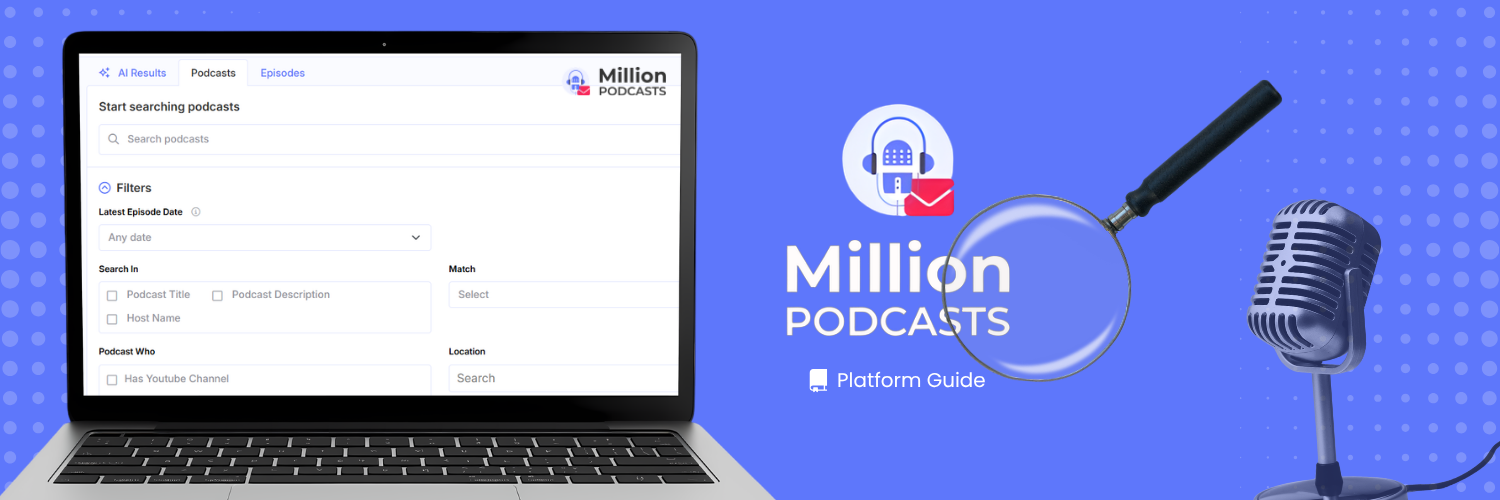
PR teams build the outreach list first and ask questions about it later. That order is backwards. Podcast search mistakes made in the first ten minutes cost more than hours spent on the pitch. A filtered list of 30 shows outperforms a broad, unfiltered list of 300, and the difference is almost always the search.
Edison Research's Infinite Dial 2026 found that 55% of Americans aged 12 and older now listen to podcasts monthly. More shows exist than any campaign can pitch, which makes list quality the only lever that matters. This guide names nine podcast search mistakes, shows what each one costs, and gives the exact fix. The complete MillionPodcasts features guide covers every platform feature if you need a grounding before continuing.
The nine mistakes below run from the first search field you touch to the last contact you unlock. Fix them in order and your first session produces a shortlist that is actually usable.
What are the most common podcast search mistakes? The nine most common are: wrong Search In field, skipping Accepts Guests and Has Email, using only the Podcasts tab, no Latest Episode Date filter, rating over reach, audience mismatch, size over fit, early contact unlocks, and weak Match logic.
1. Searching in the Wrong Field
The Search In filter decides where your keyword gets matched: the podcast title, the podcast description, or the host name. All three can be selected at once if needed. The mistake is not choosing one over another. The mistake is leaving Search In on the same default for every query without thinking about what the search actually needs.
Title search is the precise option. It finds shows built specifically around a niche and is the fastest path to a short, high-intent list. However, it misses every show that covers a topic without naming it in the title. Description search casts a wider net, catching shows that cover your subject regularly without naming it.
Those overlooked shows often include the mid-tier, easy-to-book targets a campaign needs most. Host Name search returns every show a specific person hosts. Use it when tracking a prolific guest's full portfolio or checking where a competitor has appeared.
The Match setting controls how multiple words combine inside whichever field you search. "All of these words" requires every term to appear. Typing four terms can cut a narrow-niche result set to almost nothing. "Any of these words" accepts any single term, and "This exact word or phrase" matches the string precisely.
Setting Match Logic to Fit the Query
Run a first search in "Any of these words" mode with three topic synonyms. Note the result count. Then switch to "All of these words" and compare the two numbers.
That gap tells you whether your niche has enough shows for a precision query. If not, OR mode with downstream filters is the better path.
Run the same keyword against both Podcast Title and Podcast Description in two separate searches. Compare the results side by side. Description search typically surfaces more mid-tier shows with deeper topic coverage. Those shows are often faster to book than the shows named after the topic itself.
2. Skipping Accepts Guests and Has Email
Two checkboxes in the Podcast Who filter group protect every search session from wasted time and wasted quota. Apply both before you type a single keyword.
The first is Accepts Guests. Enabling it limits results to shows that have signaled they book external guests. Of the 3M+ podcasts in the database, 379,700+ carry this flag. Not enabling it means every search returns bookable and non-bookable shows with no visible way to separate them.
The second is Has Email. This checkbox limits results to shows with a verified contact on file. Unlocking a contact on a show without one returns nothing usable. Filtering on Has Email means every shortlist show has a real contact ready at unlock time, so no credit is wasted.
Stack both filters before you run your keyword. Every subsequent filter then runs against this narrowed set, not against the full database. Accepts Guests and Has Email together remove the uncontactable and the closed before any topic or audience logic runs at all.
Leave Accepts Guests and Has Email active for every session unless the campaign is a sponsorship search, not a guest booking. For sponsorship work, swap Accepts Guests for Has Sponsor in the same Podcast Who filter group.
3. Relying Only on the Podcasts Tab
A search returns three tabs: Podcasts, Episodes, and AI Results. Most users work almost entirely on the Podcasts tab. That is the right home base for list building, but it leaves two other angles unused. Both affect the usefulness of the list you build.
| Tab | What a "tech" search returned (June 2026 snapshot) | Use it for |
|---|---|---|
| Podcasts | Around 56,900 shows with full contact profiles | Building an outreach shortlist |
| Episodes | 248,100 matches across 62.1 million total episodes | Finding shows that covered your topic recently |
| AI Results | Around 3,000 shows ranked by semantic relevance | Briefs like "shows for early-stage B2B founders" |
The Episodes tab is the fastest way to time a pitch. A show that published an episode on your topic last week has live editorial interest right now. Run the Episodes search, then click Create Alert to save it as a standing monitor. PR teams use this to catch a story the day it breaks, not a week after the window has passed.
The AI Results tab ranks shows by meaning, not keywords. It is available on Pro plans and above. Use it when your niche is specific enough that a keyword search returns too much noise. A brief like "B2B cybersecurity podcasts for CISOs" surfaces results that a title-only keyword search would miss.
After building your shortlist on the Podcasts tab, run the same keyword on Episodes and set a Create Alert. The alert costs nothing extra and runs automatically. It is the earliest signal that a show is actively covering your topic right now, not just that it covered it once.
4. Skipping the Latest Episode Date Filter
Apply Latest Episode Date before every other filter. This single step removes inactive shows from every result you see.
Skipping it means all downstream filters run against active and dormant shows together. There is no visible way to separate them in the results.
Ten options are available: Any date, This Week, Last Month, Last 30 Days, Last 12 Months, Last 25 Months, and more. Custom fits when a preset does not match your niche. For most campaigns, Last 30 Days is the right default.
It removes shows that have gone dark, shifted format, or stopped publishing. Without this filter, their contact profiles look identical to active shows in the results screen.
The exception is a niche where publishing frequency is naturally low. A show that publishes monthly still qualifies under Last 30 Days. A quarterly show needs the Custom option set to a 90 to 120 day window. Match the filter to the publishing cadence of your target niche.
Apply Latest Episode Date as the very first filter in every session, before topic keywords and before Accepts Guests. Every result you see from that point forward is a live, publishing show. It is the one filter that protects the value of everything you run after it.
5. Sorting by Rating Instead of Reach
Apple Rating measures how satisfied the current audience is with a show. It does not measure how many people are in that audience.
A meditation show with a 4.9 rating might reach 400 listeners per month. A business show with a 4.2 rating might reach 120,000. Sorting by Apple Rating alone floats the small, well-loved shows to the top. It buries high-reach shows that simply have a more critical audience.
Estimated Monthly Listeners is the field that reports reach. The platform groups shows into six bands: Nano, Micro, Mid-Tier, Macro, Mega, and Celebrity. These run from under 1,000 listeners up to 1,000,000+.
Read the reach band first. Then use Apple Rating and Apple Review Count as a tiebreaker between shows at the same reach level.
| Metric | What it measures | When to use it |
|---|---|---|
| Apple Rating | Audience satisfaction, 1 to 5 | Tiebreaker between shows of similar reach |
| Apple Review Count | Engagement depth | Tiebreaker; higher count signals a more engaged audience |
| Estimated Monthly Listeners | Audience size, Nano to Celebrity | Primary filter: set the reach band before sorting by anything |
Set the Estimated Monthly Listeners filter to your campaign's target reach band before sorting by anything. This turns Apple Rating into a tiebreaker between comparable shows, rather than a ranking criterion across shows of wildly different sizes.
6. Ignoring the Audience Match
A show can cover your topic exactly and still reach the wrong people. A marketing podcast whose audience skews toward students is wrong for a tool sold to chief marketing officers. Topic match and audience match are two separate checks, and most campaigns only run the first one.
Four filter groups fix this: Listener Type, Listener Gender, Listener Income, and Listener Age. A fifth signal, Geographic Distribution, shows where a show's listeners actually are, which can differ from where the host is based. A show hosted in London with 70% US listeners is a US placement for all campaign purposes, regardless of host location.
Three types of outreach professionals use these same audience filters in very different ways. The stacks below show how a PR agency, a solo founder, and an in-house comms lead each approach the same niche.
7. Chasing Size Over Fit
The instinct on a new search is to sort by reach and pitch the top five. The biggest shows are also the hardest to book and the slowest to respond. They are often too broad in audience for a focused campaign. A Mid-Tier show whose listeners are your exact buyer produces more bookings than a Celebrity-tier show with partial audience overlap.
Reach matters, but fit matters more. The reach band that is right depends entirely on what the campaign is designed to accomplish. The table below shows exactly how many bookable, actively publishing shows sit at each tier. Every count uses the same three filters: Accepts Guests, Has Email, and Latest Episode Date (Last 30 Days), with no keyword.
Matching Reach Band to Campaign Goal
| Reach Band | Monthly Listeners | Bookable Active Shows |
|---|---|---|
| Nano | Up to 1,000 | 49,300 |
| Micro | 1,000 to 10,000 | 27,900 |
| Mid-Tier | 10,000 to 50,000 | 5,900 |
| Macro | 50,000 to 250,000 | 1,200 |
| Mega | 250,000 to 1,000,000 | 102 |
| Celebrity | 1,000,000+ | 5 |
- Nano to Micro: up to 10,000 listeners; niche authority, easier booking, and higher cold reply rates than any other tier
- Mid-Tier to Macro: 10,000 to 250,000 listeners; the balance of reach and access that fits most campaign briefs and most client budgets
- Mega and Celebrity: 250,000 to 1,000,000+; mass awareness with longer lead times, lower cold reply rates, and a real premium on existing relationships with the show
Before filtering on MillionPodcasts, FeedSpot's ranked category lists give you a benchmarked view of which shows lead a niche. Cross-reference those names against the Podcast Charts tab in MillionPodcasts. Green arrows mark rising shows on Apple, Spotify, and YouTube, filtered by country and category.
A show climbing its category is growing and adding episodes. It is typically easier to book now than in three months, when the inbox starts filling up. Pitching the risers early gets you in before the competition does.
The best outreach list is not the longest or the most famous. It is the most matched. Forty well-matched shows at the right tier book more appearances than four hundred sorted by rating alone. Reach and rating are the last criteria to apply, not the first.
Build the List This Guide Runs On
Search 3M+ podcasts on 17 filters including Accepts Guests, reach tier, and listener demographics. Unlock verified host and booker emails. Export your shortlist to CSV or Excel.
Build Your Shortlist Free →8. Unlocking Contacts Too Early
Contact unlocks are metered by plan: 1,500 per year on Starter, 12,000 on Pro, 60,000 on Business, and unlimited on Business Plus. Unlocking a contact while still browsing spends quota on a show a later filter might remove. The mistake is treating the unlock as part of discovery rather than the final step in a completed workflow.
The correct order is: search, filter, save to a named list, preview, then unlock. By unlock time, the show should be active, accepting guests, email-verified, audience-matched, and in the right reach tier. These checks happen before the credit is spent, not after.
Save to Named Lists Before Unlocking
Click Add to List on any result to build a shortlist before unlocking anything. The Manage List screen shows each list's size and last-updated date. Preview opens the list for a quality check to catch off-target shows before spending a credit. Each list holds up to 10,000 podcasts, and every paid plan supports CSV and Excel export with customizable columns.
For turning a reviewed list into a full campaign, the podcast outreach list guide covers every step after the export.
Preview the list and remove off-target shows before unlocking a single contact. A five-minute review saves quota on shows you were never going to pitch. Every credit you preserve is a show you can unlock later when the campaign expands.
9. Using Weak Match Logic
Single-word searches are the fastest way to return results you cannot use. Searching "marketing" in default Match mode returns every show with that word in its title or description. That is a broad list with no precision on audience, format, or angle. The fix is not a more specific single word.
The fix is using Match controls to define exactly what combination of terms a result must satisfy. "All of these words" requires every term to appear. Typing "B2B SaaS growth" in this mode returns only shows where all three terms match. "Any of these words" accepts any single term and widens results fast.
The same three words in OR mode return any show with at least one of them. That result set is much larger and less precise. Both modes are correct for different jobs. The mistake is not knowing which one is active when the search runs.
Using Advanced Search for Complex Queries
Advanced Search opens a four-field Boolean panel with syntax hints printed on screen. Use it when a standard keyword is not specific enough. It is also the right tool for excluding niches that share vocabulary with your target category.
| Field | Syntax | Logic | Example |
|---|---|---|---|
| All these words | Space-separated words | AND | true crime storytelling |
| This exact word or phrase | Quoted string | Exact match | "mental health" |
| Any of these words | OR between words | OR | anxiety OR stress OR burnout |
| None of these words | Minus sign before word | NOT | -cryptocurrency -NFT |
Use the None of these words field to exclude overlapping niches. A search for "mental health" outreach often surfaces wellness content that does not match a clinical or professional audience. Adding "-wellness -self-help" to the exclusion field cuts those results before any other filter runs. The exclusion narrows the field cleanly so every remaining result is actually within scope.
Run a test search in "Any of these words" mode with three or four synonyms. Note the result count, then switch to "All of these words" and compare. That gap shows whether your niche suits a precision query. If not, OR mode with downstream filters is the better approach.
10. What to Do in Your Next Search Session
If the campaign needs niche authority, target Mid-Tier reach with Accepts Guests and Has Email active. Filter by Listener Type before sorting by anything else. If the goal is brand awareness, move to Macro or Mega and accept that lead times will be longer. In both cases, save the list before unlocking any contact.
One session, set up correctly, is enough to produce a usable shortlist. Set Latest Episode Date to Last 30 Days, then enable Accepts Guests and Has Email. Pick a reach band, apply one audience filter, and save to a named list. Preview the list before unlocking anything.
That sequence takes under 20 minutes. The list it produces is already filtered on the criteria that matter most. Once exported, the podcast outreach guide covers what comes next.
11. Frequently Asked Questions About Podcast Search
Can I search podcasts by host name instead of show title?
Yes. Set Search In to Host Name and type the person's name. The search returns every show that person hosts across the database.
What does the Accepts Guests filter do in MillionPodcasts?
The Accepts Guests checkbox in the Podcast Who filter group limits results to shows that have indicated they book external guests. Enabling it before your keyword search means every result is a show open to outside appearances, not just a show that covers your topic.
What is the difference between the Podcasts and Episodes tabs?
The Podcasts tab returns whole shows with contact profiles, which is best for building an outreach list. The Episodes tab searches across 62.1 million episodes for shows that covered your topic recently, which is best for timing a pitch to current editorial interest.
How do I find only podcasts that are still publishing?
Apply the Latest Episode Date filter and set it to Last 30 Days before any other filter. Every result from that point is a show that has published in the last month. For categories that publish quarterly, use the Custom date window set to 90 to 120 days.
Should I unlock a contact before or after filtering?
After. Unlocks count against your plan's annual quota. Filter to a qualified shortlist first, save it to a named list, preview it to remove off-target shows, and then unlock. Every credit you spend should be on a show you have already decided to pitch.
References
Edison Research. (March 2026). The Infinite Dial 2026. https://edisonresearch.com/the-infinite-dial-2026/ MillionPodcasts. (June 2026). Our Database. https://www.millionpodcasts.com/ MillionPodcasts. (August 2026). Reach-band counts by Estimated Monthly Listeners tier. Internal database filter pull: Accepts Guests, Has Email, Latest Episode Date last 30 days, no keyword. https://www.millionpodcasts.com/