
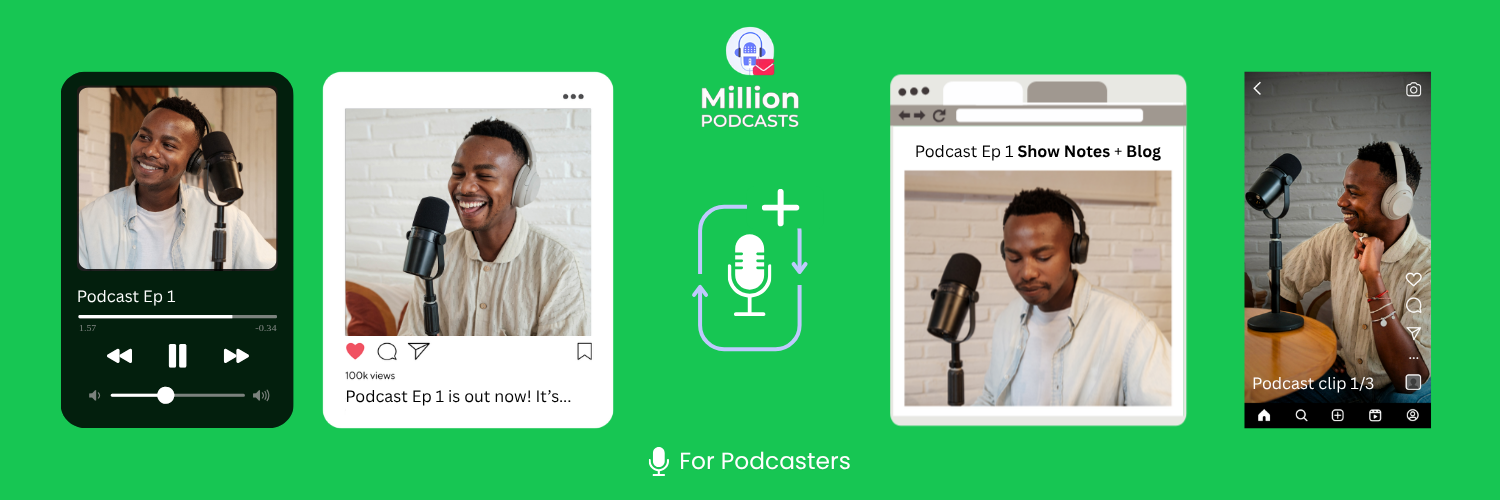
Content repurposing from podcasts is the tactic everyone plans to start and almost no one builds into a system. You record the episode, post the link, watch downloads spike on launch day, and move on. That is distribution. Real repurposing is different.
To repurpose podcast content, take each episode and turn it into a blog post, two short clips, and five social posts. Nothing new gets recorded. The system runs per episode in 2 to 3 hours once your templates are set. A solid podcast SEO strategy gives you the content layer and the discoverability layer at once.
This guide covers your own episodes specifically. According to The Podcast Host's 2024 discoverability survey, 50% of listeners find new shows through search, social media, and short-form video. An audio file cannot reach any of those channels on its own. The system below changes that.
Content repurposing from podcasts means turning each recorded episode into a blog post, two short clips, and five days of social posts. Nothing new is recorded. A repeatable system takes 2 to 3 hours per episode and puts your ideas on six platforms at once.
1. Why Is Your RSS Feed Not Enough?
According to The Podcast Host's 2024 discoverability survey, 50% of podcast listeners find new shows inside their podcast app. They browse charts and recommendations and never look anywhere else. The other half discover podcasts through search engines, social media, word of mouth, and short-form video.
The first 50% are reachable through RSS distribution and in-app discoverability. The other half are on channels that an audio file cannot reach. You miss all of those channels if RSS is your only distribution method. The rest of this guide closes that gap, format by format.
2. Build a Repeatable System for Every Episode
Treating each episode as a one-off drains creative energy on decisions instead of output. Fix your output set once. Then run the same workflow every episode without thinking about what to create next.
Choose Your Outputs Per Episode
A practical starting set for your show:
- 1 SEO blog post built from the transcript
- 2 short-form video clips, 30 to 90 seconds each
- 3 to 5 social posts: one quote graphic, one LinkedIn text post, one carousel, one Stories poll
- 1 email newsletter section with key takeaways and a link
Start with just the blog post if this feels like too much at once. Add clips after three episodes. Add social after six. The full system builds over four to six weeks, not overnight.
If you skip the fixed output set, you will spend 20 minutes before each episode wondering what to create. That decision cost compounds across every episode you publish. Write your five output types on a sticky note and put it next to your recording setup today.
Stagger Your Publishing Schedule
Publishing everything on episode day wastes the week of reach a staggered schedule gives you. One piece of content per day keeps your show appearing in feeds for seven days straight. The timeline in the Answer box above gives you the exact day-by-day structure to follow.
Track Everything in One Place
Without a tracker, content slips through the cracks. A spreadsheet in Notion, Trello, or Google Sheets works well. Build one column for each output type and one row for each episode. The checklist in Section 8 gives you the exact structure to copy and paste.
Once your repurposing workflow is running, the fastest way to reach new listeners is getting on other shows. MillionPodcasts lets you filter 3M+ podcasts by niche, audience size, and whether they accept guests. Unlock verified host and booker emails, then export your pitch list to CSV or Excel.
3. How to Repurpose Podcast Content Into Blog Posts
Search engines cannot crawl audio files. Your episode page will not rank for any query beyond its exact title. A blog post built from the same episode becomes a searchable asset. It drives traffic long after the launch-day spike fades.
Generate the Transcript but Do Not Use It as the Final Draft
Descript, Otter.ai, and Riverside.fm generate accurate transcripts within minutes of upload. Your remote podcast recording setup affects transcript accuracy directly, so clean audio matters first. Use the transcript as raw source material, not the finished post.
Spoken language runs on filler words and conversational tangents that make poor blog prose. Pull 3 to 5 main ideas from the episode and write them as clear, scannable paragraphs.
For episodes under 20 minutes, combine 2 to 3 related transcripts. The result is a longer, more thorough post on the same topic.
Before writing, research what topics the top shows in your podcast category cover. FeedSpot's podcast rankings directory lists leading shows by niche and episode output. Browse the top 10 shows in your category. Their most consistent episode topics show you what your audience wants before you write a word.
Start with a Keyword, Not the Episode Title
Your episode title is for listeners who already know you. A blog post title needs to match what a stranger would type into Google. Before writing, check search volume for your episode's topic. Tools like Ubersuggest, Google Trends, and Google Keyword Planner all work for this step.
Once you have your keyword, place it in:
- The blog post title
- The first 100 words of the introduction
- At least two subheadings
- The meta description
Use This Post Structure
| Section | What Goes Here |
|---|---|
| Introduction | Hook the reader, state what the post covers, link to the episode |
| Section 1 | First main idea from the episode, expanded with examples or data |
| Section 2 | Second main idea, tools or resources if relevant |
| Section 3 | Third insight or practical how-to step |
| Conclusion | Summary and a direct call to action to listen to the full episode |
Build a Topic Cluster Over Time
Related episodes can link to each other through their blog posts. If you have three episodes on interviewing guests, build a resource page linking to all three blog posts and episodes. Internal linking tells search engines your posts cover a topic in depth. That strengthens topical relevance and makes related content easier to discover.
4. How to Repurpose Podcast Content Into Clips
According to Headliner, 92% of mobile users watch video with the sound off. If your clips have no captions, the majority of viewers see mouth movements and nothing else. Every clip needs captions before it goes anywhere.
Select Clip-Worthy Moments
Not every part of an episode works as a standalone clip.
Look for moments with all four of these qualities while you are still in the edit:
- The point is fully self-contained and needs no outside context to land
- There is a clear opening sentence: a bold claim, a surprising number, or a direct question
- The moment ends naturally within 30 to 90 seconds
- A viewer walks away with one concrete takeaway
Flag these moments with timestamps in a Google Doc while you edit. Going back through a finished episode to find clips takes twice as long as marking them during the edit.
Before publishing clips with background music, check your podcast music rights and licensing. Many tracks cleared for podcast audio are not cleared for TikTok, Reels, or YouTube Shorts. A restricted track gets your clip muted or taken down within hours of publishing.
Platform Specifications
| Platform | Recommended Length | Technical Max | Aspect Ratio |
|---|---|---|---|
| Instagram Reels | 30 to 90 seconds | 20 minutes | 9:16 |
| TikTok | 30 to 60 seconds | 60 minutes | 9:16 |
| YouTube Shorts | 15 to 60 seconds | 3 minutes | 9:16 |
| 30 to 90 seconds | 10 to 15 minutes | 1:1, 4:5, or 9:16 |
Any vertical video under 3 minutes is classified as a YouTube Short. Files over 180 seconds go into the standard long-form player. For LinkedIn, the upload limit is 10 minutes on mobile and 15 minutes on desktop.
Write a Text Hook for the First 3 Seconds
The first 2 to 3 seconds determine whether someone stops or scrolls. Add a text overlay of under eight words. It needs just enough curiosity to hold attention before the main point lands.
5. How to Design Without Being a Designer
You are not a graphic designer, and you do not need to be. Canva's free plan covers every visual asset in this guide: quote graphics, carousels, thumbnails, and featured images. The key is building templates once and reusing them every episode.
Set Up Your Brand Before Opening a Template
Lock in three things before touching any template: your primary font, your secondary font, and two to three brand colors. These already exist on your podcast cover art. Pull the exact hex codes and apply them to every graphic you create.
Inconsistent fonts and colors across posts signal an amateur brand. Consistent ones build recognition with every episode you publish.
Build Templates Once, Then Reuse Them
Design each asset type once using your brand fonts and colors, then save it. Every future episode becomes a duplicate-and-edit task: swap the quote text, update the episode number, and export. That is the entire process.
The five asset types you need:
| Asset | Dimensions | Platform |
|---|---|---|
| Quote graphic | 1080 x 1080 px or 1080 x 1350 px | Instagram post, LinkedIn post |
| Carousel slide | 1080 x 1080 px or 1080 x 1350 px | Instagram carousel, LinkedIn carousel |
| Story and Reel cover | 1080 x 1920 px | Instagram Stories, TikTok, Reels |
| Thumbnail | 1280 x 720 px | YouTube |
| Featured image | 1200 x 628 px | Blog |
Quote Graphics
Use no more than two fonts: one for the quote, one for the attribution or show name. Keep the quote to two or three lines. If the transcript line runs longer, edit it down. A quote graphic is a hook, not a transcription.
Leave breathing room around the text. Crowded layouts read as amateur. Ensure strong contrast between background and text so it is legible at a glance on a small screen.
Carousels
Instagram and LinkedIn carousels perform well because they give people a reason to swipe. A 5 to 7 slide structure works for most podcast topics. Slide 1 is the hook that shows in the feed before anyone taps. Slides 2 through 6 each carry one point with short text.
The final slide is the call to action: listen to the full episode.
Spend disproportionate time on slide 1. It is the only slide most people see before deciding to swipe. It should contain the strongest line from the episode. If slide 1 does not earn the tap, none of the other slides matter.
Thumbnail Design for YouTube
A custom thumbnail earns more clicks than an auto-generated still frame. Keep text minimal and readable at small sizes. Use a close-up expression, strong contrast, and a single clear focal point. Avoid cluttering the frame with competing design elements.
Blog Featured Images
A blog featured image should summarize the episode at a glance. Keep the composition simple: episode title, guest name if relevant, and one strong visual element. Use a portrait, icon, or branded background. Keep text away from the edges, where some platforms crop the preview.
6. How to Repurpose Podcast Content for Social Media
A 20-minute episode contains enough material for a full week of social posts and a newsletter section. You will not repeat the same idea twice. The format you choose for each platform is what determines performance there.
5 Formats That Work Well for Podcast Social Media
- Quote graphics: Pull a specific, quotable line from the transcript, design it in Canva, and post it with a short caption linking to the episode.
- X threads: Break the episode's main points into a 6 to 10 part thread. Open with a hook, walk through the key ideas, and close with the episode link.
- LinkedIn text posts: Write 150 to 300 words around one insight from the episode. LinkedIn rewards text-heavy posts that open a genuine conversation in the comments.
- Instagram Stories polls: Take a debated question from the episode and post it as a two-option poll. It drives immediate taps and builds curiosity about how the episode answers it.
- Email newsletters: Podcast.co identifies three formats that outperform a generic new-episode announcement. The recap email delivers key takeaways and a link. The bonus insight email adds a follow-up thought not covered in the episode. The curated list email groups 3 to 5 related episodes or tools on the same topic.
The complete guide on how to promote your podcast on social media covers platform timing, hashtag strategy, and format testing in full.
Caption Formula for Social Media
| Section | What to Write |
|---|---|
| Line 1 (Hook) | A specific claim, surprising stat, or question directly from the episode |
| Lines 2 to 4 (Setup) | Brief context that teases the insight without giving it all away |
| Final line (CTA) | "Listen to Episode [number]: [title]" with a link, or "Link in bio" |
Batching all social writing in one session after each episode is the highest-ROI change in this entire guide. Five captions written back to back in 90 minutes produces more consistent messaging than one caption written every two days. It also costs less total time.
Batch All Social Writing in One Session
After you finalize each episode, block 60 to 90 minutes and write every social post for it in one sitting. Writing them across the week costs more cumulative time. It also produces less consistent messaging than a single focused batch session does.
Find the right shows to be a guest on
Guesting on other shows reaches listeners who might not find your podcast through other means. Filter shows by niche, unlock verified host contacts, and export your pitch list to CSV or Excel.
Search 3M+ Podcasts →7. Tools That Make Repurposing Faster
The right tools do not make repurposing automatic. They remove friction from each step so the system runs in less time per episode. Here is what works, broken down by task.
Transcription
Descript, Otter.ai, and Riverside.fm all generate accurate transcripts within minutes of upload. Descript doubles as a video editor, which makes it useful for both transcript generation and clip creation in one tool. Otter.ai is the most affordable starting option for audio-only shows.
Clip Creation
CapCut is a free editor with auto-captions, transitions, and platform-specific templates. It is widely used for TikTok and Reels. Captions.ai focuses on short-form video with branded caption styling and animated text overlays. Both generate captions automatically on upload.
SEO and Blog Writing
Surfer SEO analyzes the top-ranking pages for your target keyword. It gives specific recommendations on word count, headings, and keyword frequency before you publish. Ubersuggest handles keyword research and shows search volume before you commit time to a topic. RankMath and Yoast are WordPress plugins that run on-page SEO checks before you hit publish.
Scheduling
Buffer offers simple cross-platform scheduling for Instagram, LinkedIn, X, Facebook, and TikTok. Metricool adds analytics alongside scheduling. Over time, the analytics show you which content formats drive the most listener growth.
Design
Canva covers carousels, quote graphics, YouTube thumbnails, and podcast branding. The free plan handles most of what you need. Canva Pro adds Brand Kit, which saves your fonts, colors, and logos and applies them across all templates in one click.
8. Your Episode Repurposing Checklist
Copy this table into Notion, Trello, or Google Sheets and use it for every episode you publish.
| Content Type | Task | Tool | Publish Day | Done? |
|---|---|---|---|---|
| Quote graphic | Short punchy line on a branded image | Canva | Episode day | |
| Email newsletter | Key takeaways and episode link | Mailchimp or ConvertKit | Episode day | |
| Blog post | Keyword-targeted post from transcript | Descript and Surfer SEO | Day 2 | |
| X thread | 6 to 10 tweet breakdown of main points | Typefully or direct post | Day 2 | |
| Reel 1 | Best 30 to 90 second clip with captions | Descript or CapCut | Day 3 | |
| Carousel | 5 to 7 takeaways with CTA on final slide | Canva | Day 5 | |
| LinkedIn text post | 100 to 150 words around one insight | Buffer or direct post | Day 5 | |
| Reel 2 | Second clip for end-of-week reach | Descript or CapCut | Day 7 |
9. Frequently Asked Questions
What does it mean to repurpose podcast content?
Repurposing podcast content means taking one episode you already recorded and turning it into multiple formats. These include a blog post, short-form clips, social posts, a newsletter section, and graphics. You are not recording anything new. You are giving the same ideas a longer lifespan across more platforms.
How long does it take to repurpose one podcast episode?
With a set workflow, you can repurpose one episode in 2 to 3 hours. Plan on 45 minutes for the blog post, 30 minutes editing two clips, and 45 minutes on social and newsletter copy. Batch all social writing in one session for maximum speed.
Do I need video to repurpose podcast content?
No. You can still turn audio-only episodes into blog posts, quote graphics, carousels, X threads, and newsletters. Short-form clips are the highest-reach format on Reels and TikTok, but they are optional. Start with what you have and add video later.
Can I repurpose old podcast episodes?
Yes, and older episodes with proven listener interest are often the strongest candidates. Run the same workflow: get the transcript, pull the key ideas, build the blog post and social assets. Episodes with strong early downloads or listener replies are worth prioritizing.
What is the best way to repurpose podcast content for social media?
Pull one strong line from the transcript for a quote graphic. Write a 6 to 10 part X thread walking through the episode's main points. Post a LinkedIn text post of 150 to 300 words around one key insight. Batch all three in one session right after each episode finishes.
Every episode you publish competes in a feed with millions of other shows. The ones that grow are not always the best produced. They are the most consistently distributed across every channel where listeners actually find new podcasts.
The system above runs the same way every time. Run it once and the second episode costs half the setup effort. Run it for a month and you have a content engine built from recordings you were already making.
References
The Podcast Host. (November 2025). Podcast Statistics and Industry Trends 2026. https://www.thepodcasthost.com/listening/podcast-industry-stats/ Headliner. (October 2024). Learn Why and How to Create Podcast Video Clips to Grow Your Show. headliner.app/blog/2024/10/25/how-to-create-and-use-clips-for-podcast-growth Podcast.co. (November 2025). 5 Smart Ways to Repurpose Podcast Content for SEO and Social. blog.podcast.co/reach/repurpose-podcast-content